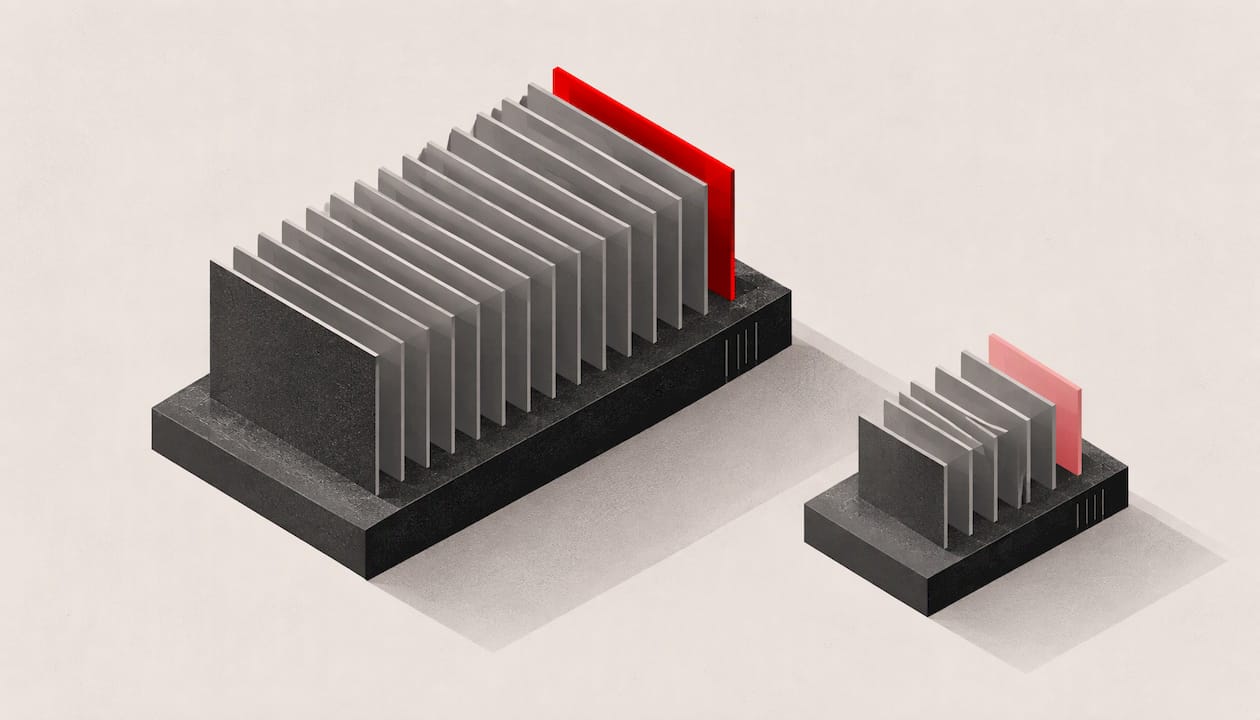
320kbps is the top setting for MP3, and for nearly all listening it is high-quality audio: dense, full and hard to tell from lossless on ordinary playback. Bitrate is only one part of what you hear. The source recording, the encoder and your speakers or headphones matter just as much. If you want the whole file with nothing discarded, lossless FLAC is the other route. We stream both at KFRP Radio, a 24/7 underground hip-hop station out of Lincoln, Nebraska: a 320kbps MP3 stream and a lossless 24-bit FLAC stream. This guide explains what the numbers mean so you can pick the right one for your gear and your connection.
TL;DR
- Bitrate is the amount of audio data per second. 320kbps is the highest standard MP3 rate, and it is built to keep the detail most listeners can perceive.
- In informal and academic listening tests, people struggle to separate 320kbps MP3 from lossless. Your headphones, speakers and the track itself change the result.
- A 320kbps stream uses about 2.4 MB per minute, roughly a quarter of CD-quality WAV, which makes it easy on mobile data and weaker connections.
- Lossless FLAC keeps every bit of the original, which suits critical listening, good gear and anyone who wants the full-resolution master.
- KFRP streams both 320kbps MP3 and lossless 24-bit FLAC, so you can choose by device and bandwidth.
Table of Contents
- What 320kbps actually means
- How 320kbps compares with lower bitrates
- Can you hear 320kbps versus lossless?
- Why the source matters more than the number
- Choosing between 320kbps MP3 and lossless FLAC
- Quality settings on other services
- How to listen to KFRP in 320kbps or FLAC
- For artists: delivering your music at the right quality
- FAQ
- Sources
What 320kbps actually means
Bitrate is the amount of data used to represent each second of audio. BBC Science Focus describes it in kilobits per second (kbps) for compressed formats such as MP3 and AAC, and notes that CD audio works out to 1,411 kbps. In general, a higher bitrate means better audio quality, and 320kbps sits at the upper end of the MP3 range.
MP3 is a lossy format. Audacity's guide to audio quality explains that it uses psychoacoustic models, which are rules about what human hearing is least likely to notice, to discard some audio data. Lossless formats such as FLAC or WAV rebuild the stored audio bit for bit.
Think of it as a budget. A 128kbps file has to make tough choices about what to keep. A 320kbps file has the largest budget MP3 allows, so the encoder rarely has to cut anything you would notice. That is why 320kbps is the standard answer when someone asks for the best MP3 setting.
How 320kbps compares with lower bitrates
More data means bigger files and more bandwidth. PCMag's estimate puts a high-quality 320kbps MP3 at about 2.4 MB per minute, against about 1 MB per minute for 128kbps and about 10 MB per minute for CD-quality WAV.
| Format | Approx. data rate | Approx. size per minute |
|---|---|---|
| MP3 128 kbps | 128 kbps | 1 MB |
| MP3 320 kbps | 320 kbps | 2.4 MB |
| CD-quality WAV | 1,411 kbps | 10 MB |
A 320kbps MP3 keeps about 23% of the CD data rate, which makes it about 77% smaller than a CD-quality WAV, according to AudioUtils. You get the bulk of the listening experience in a fraction of the space.
Two practical points follow from the table:
- Streaming budget. At 320kbps, an hour of listening is roughly 144 MB (2.4 MB times 60). That is comfortable on home Wi-Fi and manageable on a decent mobile plan.
- The gap between 128 and 320 is the one that matters. Going from 128 to 320kbps is a large step up in headroom. Going past it is where you start choosing between lossy and lossless, not between "bad" and "good".
Constant versus variable bitrate
A constant bitrate (CBR) file uses the same amount of data every second. Variable bitrate (VBR) spends more on complex passages and less on simple ones. Sound On Sound notes that VBR can produce smaller files on simpler material. Audacity's guide says LAME's V0 VBR setting averages roughly 220 to 260 kbps and can be indistinguishable from the original, while 320kbps CBR is the top fixed setting, often labeled "Insane".
The takeaway: a fixed 320kbps stream is the safe, predictable choice. It always has the full allowance available, which suits music with sudden changes in density, like a sparse piano loop that suddenly drops into layered 808s and distorted vocals.
Can you hear 320kbps versus lossless?
This is the question behind most searches for 320kbps quality, and the honest answer is: less often than you might expect, and it depends on the setup.
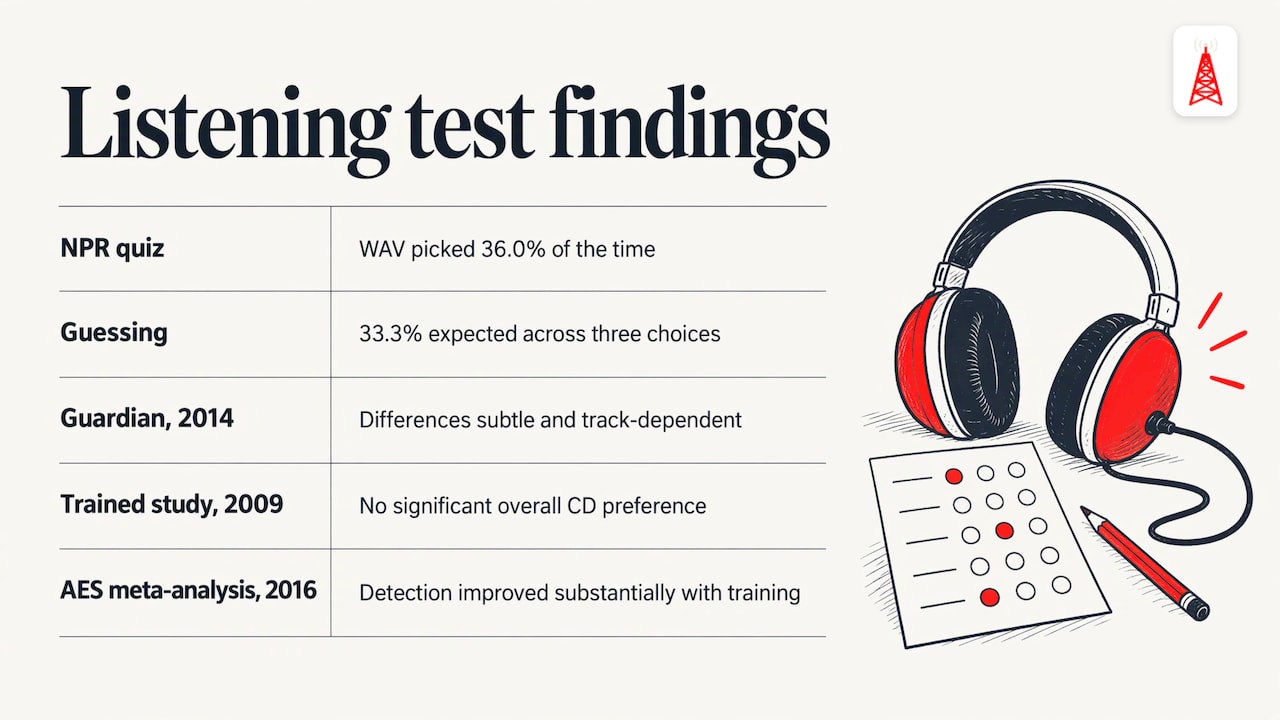
NPR's quiz. In 2015, NPR ran an informal audience quiz comparing 128kbps MP3, 320kbps MP3 and lossless WAV. Readers picked out the WAV 36.0% of the time, against 33.3% expected from pure guessing among three choices. NPR itself said the test was not highly scientific and that listening equipment and setup matter.
The Guardian's comparison. In 2014, The Guardian's writers compared 128kbps MP3, 320kbps MP3, CD and 24-bit studio masters on a high-quality playback system. They described the differences as subtle, varying with the track and with how closely they listened.
A trained-listener study. A 2009 study with 13 trained listeners found no statistically significant overall preference for CD quality over 320kb/s MP3, but it did find that musical genre and listener expertise had significant effects.
A large meta-analysis. The Audio Engineering Society's 2016 meta-analysis pooled 18 studies, more than 400 participants and over 12,500 trials on high-resolution versus standard-resolution audio. It found a small but statistically significant ability to tell them apart, and that ability grew substantially with listener training.
Put together, the picture is consistent. For casual listening on everyday gear, 320kbps is excellent. Trained ears, quality playback chains and certain material can reveal small differences. That is exactly the reason lossless exists as a second option rather than a replacement.
What changes what you hear
Bitrate gets the attention, but these matter at least as much:
- Your playback gear. Earbuds on a train and a pair of studio monitors reveal very different amounts of detail. Differences that vanish on small speakers can show up on a good pair of headphones.
- The source recording. A well-recorded, well-mastered track encodes well. A thin or overly compressed master sounds thin or overly compressed at any bitrate.
- The genre. The 2009 study above found genre affected results. Dense, distorted, bass-heavy music hides compression artifacts differently from solo acoustic recordings. TRPTK's 2026 write-up notes that the MP3 psychoacoustic model was tuned largely to rock and pop, and that sparse acoustic material is the hardest test.
- Your attention. Listening for artifacts is a skill. Audacity's guide says ABX listening tests, where you pick which of two samples matches an unknown one, are a better way to judge perceived quality than staring at a spectrogram, because visible data loss does not by itself mean audible degradation.
Why the source matters more than the number
A "320kbps" label tells you how the file was encoded, not where it came from. AudioUtils points out that quality drops with each re-save, and that a 128kbps file re-saved at 320kbps still sounds like the 128kbps original or worse. These are often called fake 320s.
This matters a lot for underground hip-hop, where tracks circulate through uploads, mixtapes, re-rips and playlists. A file that has been through several lossy conversions is not rescued by a high number on the label. Audacity's guide adds that MP3 is unsuited to being an editing intermediate, because repeated opening and saving causes generation loss. Artists should keep lossless masters and encode to MP3 once, at the end.
One technical detail for producers and beatmakers: a measured round-trip test of ten club tracks found that encoding at 320kbps raised true peaks by a median of 0.35 dB. Tracks already close to 0 dBTP (true peak, the loudest point of the reconstructed waveform) can end up over it. Leaving a little headroom on your master before encoding avoids that.
Choosing between 320kbps MP3 and lossless FLAC
The choice is practical, not a quality contest.
Pick 320kbps MP3 when:
- You are listening on a phone, in a car or on a connection with limited data.
- You are using earbuds, a Bluetooth speaker or a typical desktop setup.
- You want a stream that starts fast and stays steady on a modest connection.
- Storage or data caps matter.
Pick lossless FLAC when:
- You are on wired headphones, studio monitors or a home hi-fi chain.
- You are on stable home internet and data use is not a concern.
- You are a producer or engineer and want to hear every layer in the mix.
- You simply want the complete audio with nothing discarded. FLAC rebuilds the stored audio bit for bit, and the 24-bit version carries more resolution than CD's 16 bits.
Both work well for the music they serve. Dark rap and dark trap lean on low-end weight, sub-bass, grit and layered textures, and instrumentals leave every element of the beat exposed. That makes them a rewarding thing to hear on a good setup, in either format.
Quality settings on other services
Many general streaming and video services offer their own quality settings, and the top setting differs by service and by plan. These settings change over time, so check the audio settings inside your app or the service's help page for the current options before assuming a given bitrate. The same applies to video platforms, which often use different codecs from MP3 and may not publish a fixed 320kbps option.
How to listen to KFRP in 320kbps or FLAC
KFRP Radio is the official internet radio station of Killing Field Records. It runs 24/7 from Lincoln, Nebraska, with underground and classic hip-hop, dark rap, dark trap and instrumentals. The core rotation includes the label's own artists such as Jinx and Cryptic-X, alongside influential underground tracks. There are no fake DJs and no filler. It is music, continuously.
We offer two streams: a 320kbps MP3 stream and a lossless 24-bit FLAC stream. Streaming is free, and you can use web and directory players. Our listening page lists the stream options, apps and directory links, including Radio Garden, so you can pick the format that matches your device. If you are on a phone or a limited connection, start with the 320kbps MP3. If you are at a desk with good headphones or monitors, try the FLAC stream and judge for yourself on your own gear.
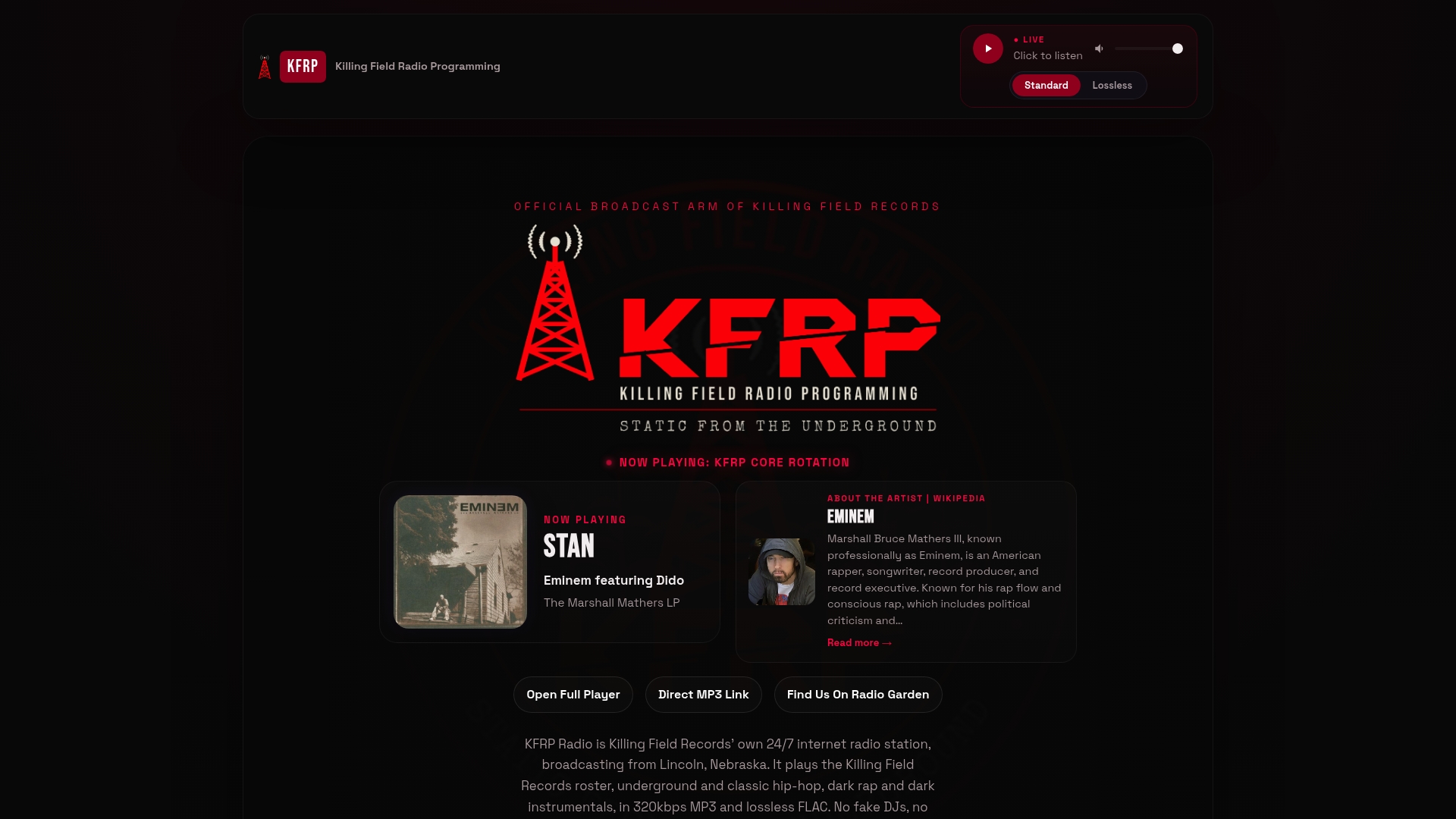
If you are on the KFRP homepage, the player is right there. Start with whichever format suits your setup and switch whenever you like.
For artists: delivering your music at the right quality
If you make dark rap, underground hip-hop or instrumentals and want airplay, the encoding advice above applies directly to you:
- Keep a lossless master. Export WAV or FLAC from your session and archive it. Never edit from an MP3.
- Leave headroom. Because encoding can raise true peaks slightly, as the round-trip test above found, avoid mastering right up to 0 dBTP.
- Encode once. If you send an MP3, encode it a single time from the lossless master at 320kbps. Do not convert a lower-bitrate file up to 320kbps.
- Check the file. Play it through headphones start to finish before you send it, and confirm there are no clicks, clipping or truncated endings.
KFRP accepts music submissions from artists for possible airplay. The submission page has the details and terms, which include that the station does not charge artists for airplay and does not pay artists for airplay.
FAQ
Is 320kbps good quality audio?
Yes. It is the highest standard MP3 bitrate and keeps enough detail that most listeners on most gear cannot reliably tell it from lossless. NPR's informal 2015 quiz saw readers pick the lossless file only slightly more often than chance. Trained listeners on high-quality equipment can sometimes hear small differences.
Is 320kbps better than 128kbps?
It has more than twice the data to work with, so the encoder discards far less. A 128kbps file is about 1 MB per minute, and a 320kbps file is about 2.4 MB per minute. If you can hear the difference, it tends to show in cymbals, vocal detail and the sense of space.
Is FLAC better than 320kbps MP3?
FLAC is lossless, so it keeps all of the original audio, while MP3 discards some. Whether you can hear that depends on your headphones or speakers, the track and your listening experience. FLAC makes the most sense on good gear and a stable connection, and 320kbps MP3 is the easy choice for phones and limited data.
How much data does a 320kbps stream use?
About 2.4 MB per minute, which comes to roughly 144 MB per hour. Lossless audio at CD quality uses about 10 MB per minute, so it needs a faster and steadier connection.
Can I listen to KFRP in lossless?
Yes. KFRP offers a lossless 24-bit FLAC stream alongside its 320kbps MP3 stream. The listening page shows how to reach each one.
Sources
- Understanding audio bitrate and audio quality | Adobe
- What's a bitrate, and what has it got to do with music quality? | BBC Science Focus
- On Audio Quality | Audacity Blog
- High-Res and Lossless Audio: Are You Getting Your Money's Worth? | PCMag
- What Data Compression Does To Your Music | Sound On Sound
- WAV vs MP3: Can You Hear the Difference? | AudioUtils
- Audio Quality Quiz Results | NPR
- How much difference is there between MP3, CD and 24-bit? | The Guardian
- Subjective Evaluation of MP3 Compression for Different Musical Genres | ResearchGate
- A Meta-Analysis of High Resolution Audio | Audio Engineering Society
- What you can't hear is still there, until it isn't | TRPTK
- What does a 320 kbps MP3 throw away? | enguetedl.ch